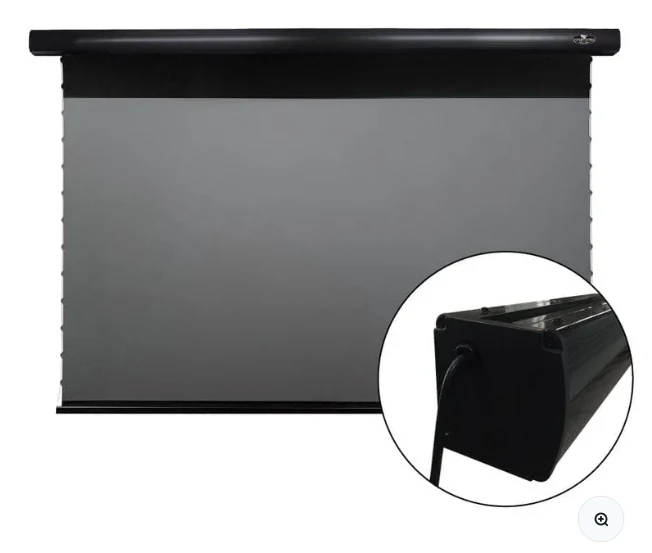
At-a-glance comparison
| Factor | VIVIDSTORM PRO | Alternative / context |
|---|---|---|
| 84 in | 83.46 × 61.30 × 4.02 in | Small-room / compact option |
| 92 in | 90.55 × 65.20 × 4.02 in | Between 84 and 100 |
| 100 in | 97.40 × 69.88 × 4.02 in | Common living-room target |
| 110 in | 107.48 × 74.06 × 4.02 in | Useful middle step |
| 120 in | 116.26 × 78.94 × 4.02 in | Largest standard listing |
Specifications are drawn from current manufacturer/retailer listings checked in September 2026. Re-check the live product page before ordering because models, inclusions and regional availability can change.
Published overall dimensions
NothingProjector’s size table lists the approximate overall product dimensions below. Treat them as planning values and re-check the live product documentation before drilling, because hardware revisions and regional configurations can change.
Why case width matters
A 120-inch 16:9 image is about 104.6 inches wide, but the published VIVIDSTORM housing length is much wider. Side walls, crown molding, curtains and built-ins can interfere even when the visible picture itself fits.
Why overall height matters
Drop-down screens include material above the viewable image. That top drop helps position the image at a comfortable height, but it also means the fully deployed assembly needs more vertical space than the image height alone.
Pick size with projector geometry
After confirming housing fit, use the projector’s exact throw chart to verify how far it must sit from the wall and how high the image begins. A size that fits the wall may still force the projector beyond the usable depth of the media cabinet.
Check the live VIVIDSTORM PRO listing
Confirm current size options, stock, regional pricing and included controls before planning the final mount.
See current VIVIDSTORM PRO offer ↗